March 24, 2026 • 7 min read
Fin AI by Intercom Launches Monitors For Enterprise AI Observability

CX Analyst & Thought Leader
March 24, 2026
Today in Paris, Fin AI by Intercom announced Monitors, an advanced analytics, QA, and observability tool designed to help enterprises continuously monitor and optimize not only customer conversations with Fin AI agents, but customer experience as a whole.
Paul Adams, Chief Product Officer at Fin AI, emphasized how the right observability tools help eliminate the AI black box, providing complete transparency, confidence, and control in the agentic era. Observability is especially crucial now that Fin AI agents are handling more complex customer queries, in heavily regulated industries, across channels.
According to Adams, the goal of Monitors (and the complete Fin observability suite) is to provide maximum trust and confidence in Fin AI agents. It’s also about bringing Fin AI agents and human agents together in one connected system, providing a truly holistic understanding of what virtual agents, human agents, and your customers are communicating about.
The Fin Flywheel
To make this happen, Monitors is architected around what Adams describes as the “Fin Flywheel,” a four-stage continuous improvement loop that allows customers to train, test, deploy, and analyze Fin AI Agents.
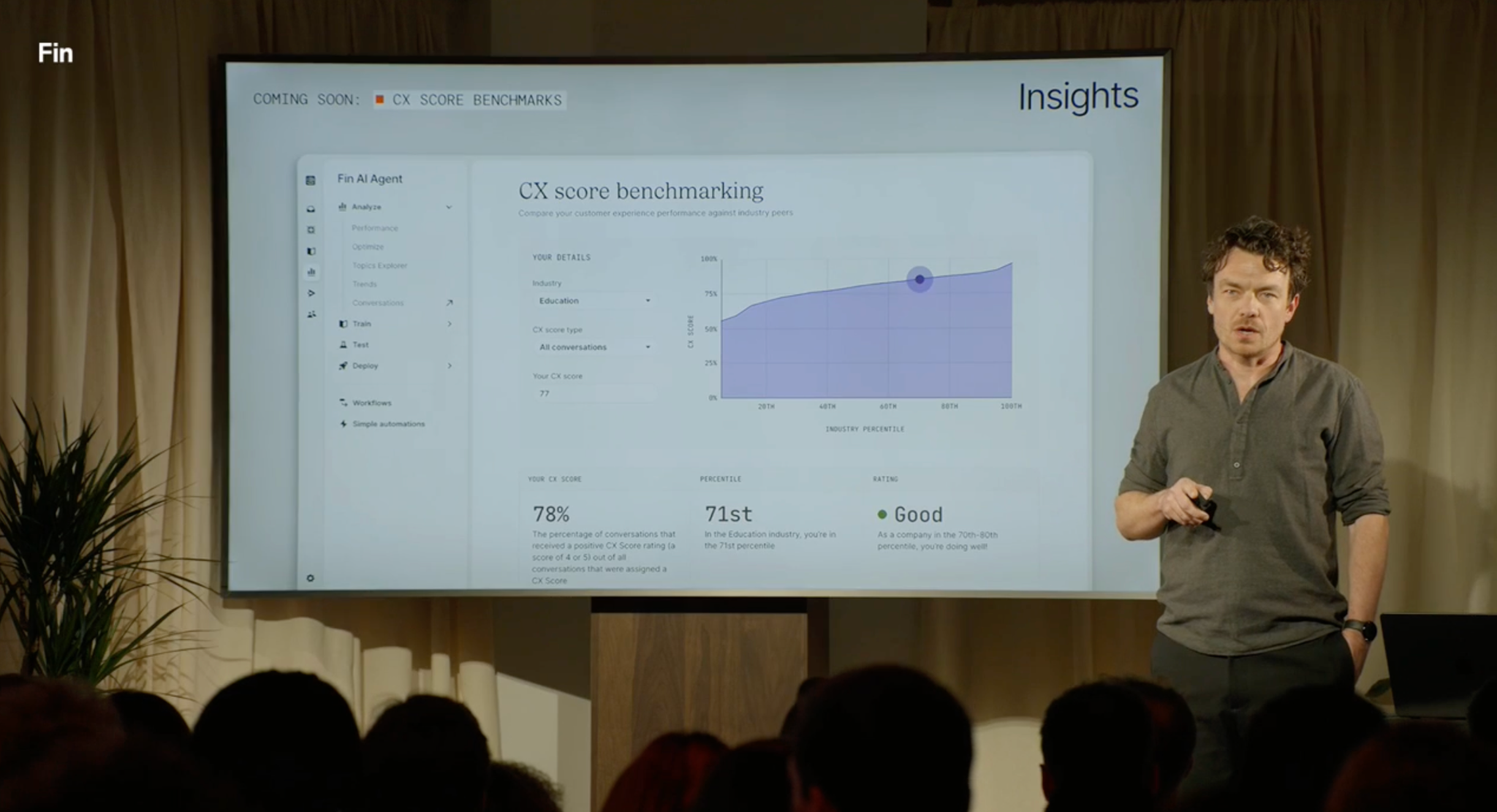
Fin ny Intercom has recently announced several major product updates for the training and testing aspects of the flywheel, including a performance dashboard that shows your average Automation Rate, Involvement Rate, Resolution Rate, and CX Score in one view. Today’s announcements focus on the “analyze” spoke of the Fin Flywheel. The first was the upcoming arrival of CX Score benchmarking, which displays your CX Score relative to other industries and competitors. Users will be soon able to see their CX Score changes over time, their CX Score percentile and their average CX Score rating.
Traditional CSAT often only highlighted negative experiences. With CX Score and Insights, we’re now receiving meaningful, actionable feedback across the board. This holistic view is a complete game-changer for understanding customer experience.

The Fin AI Observability Suite
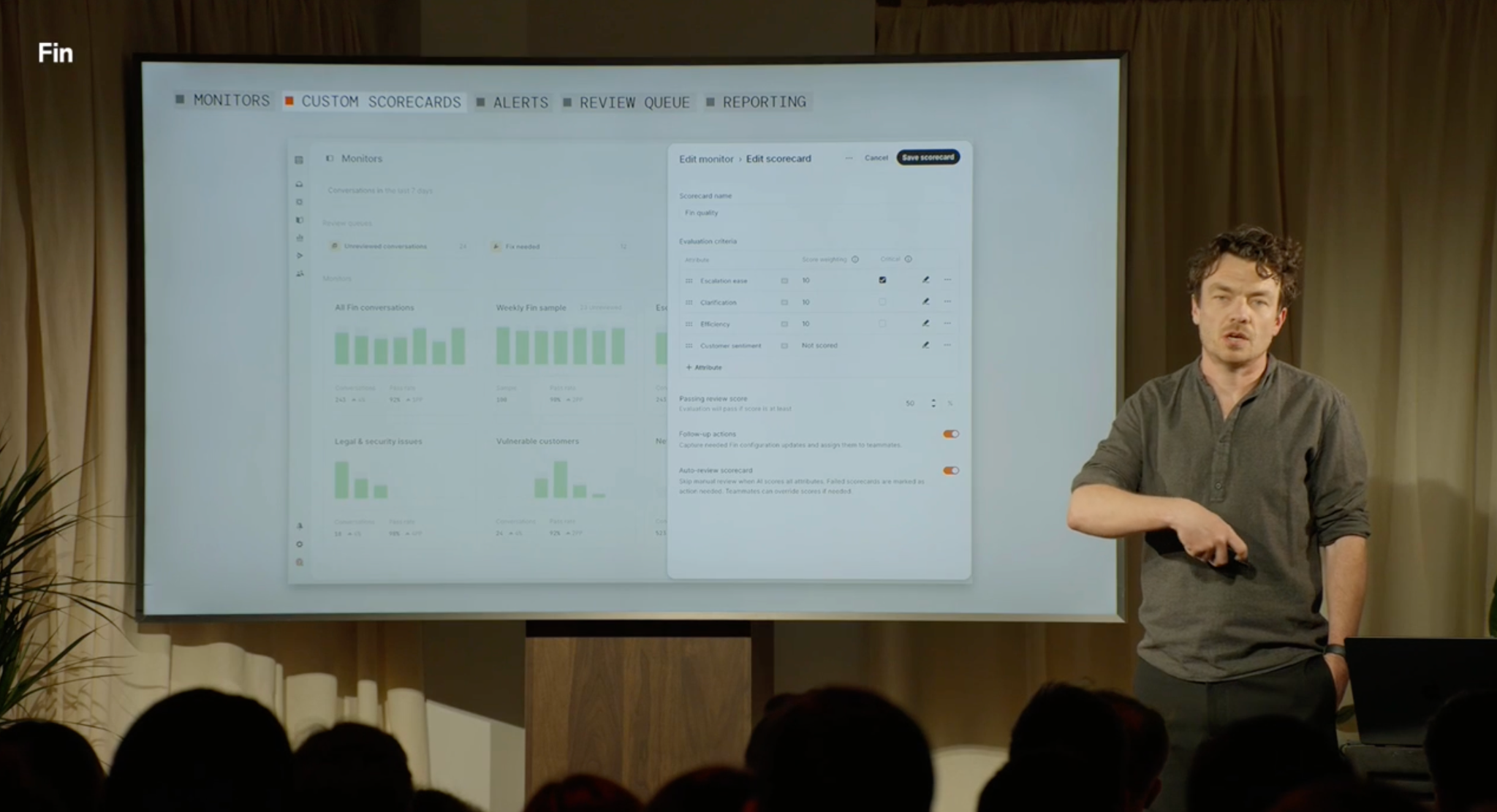
Though Monitors may be the biggest news of the day, it’s only one part of Fin’s larger AI observability suite. In addition to Monitors, Fin announced Custom Scorecards, Alerts, Review Queue, and Reporting capabilities.
We’ll provide a quick overview of all these key Observability Suite tools below.
Fin AI Monitors
Fin AI realized the need to address gaps in the monitoring and scoring aspects of their product, as customers were still using a variety of manual, fragmented “patchwork tools” that only reviewed a small portion of customer conversations. Fin customers expressed the desire for “always-on QA across every conversation” and “a workflow to assign fixes and prove that changes actually worked.”
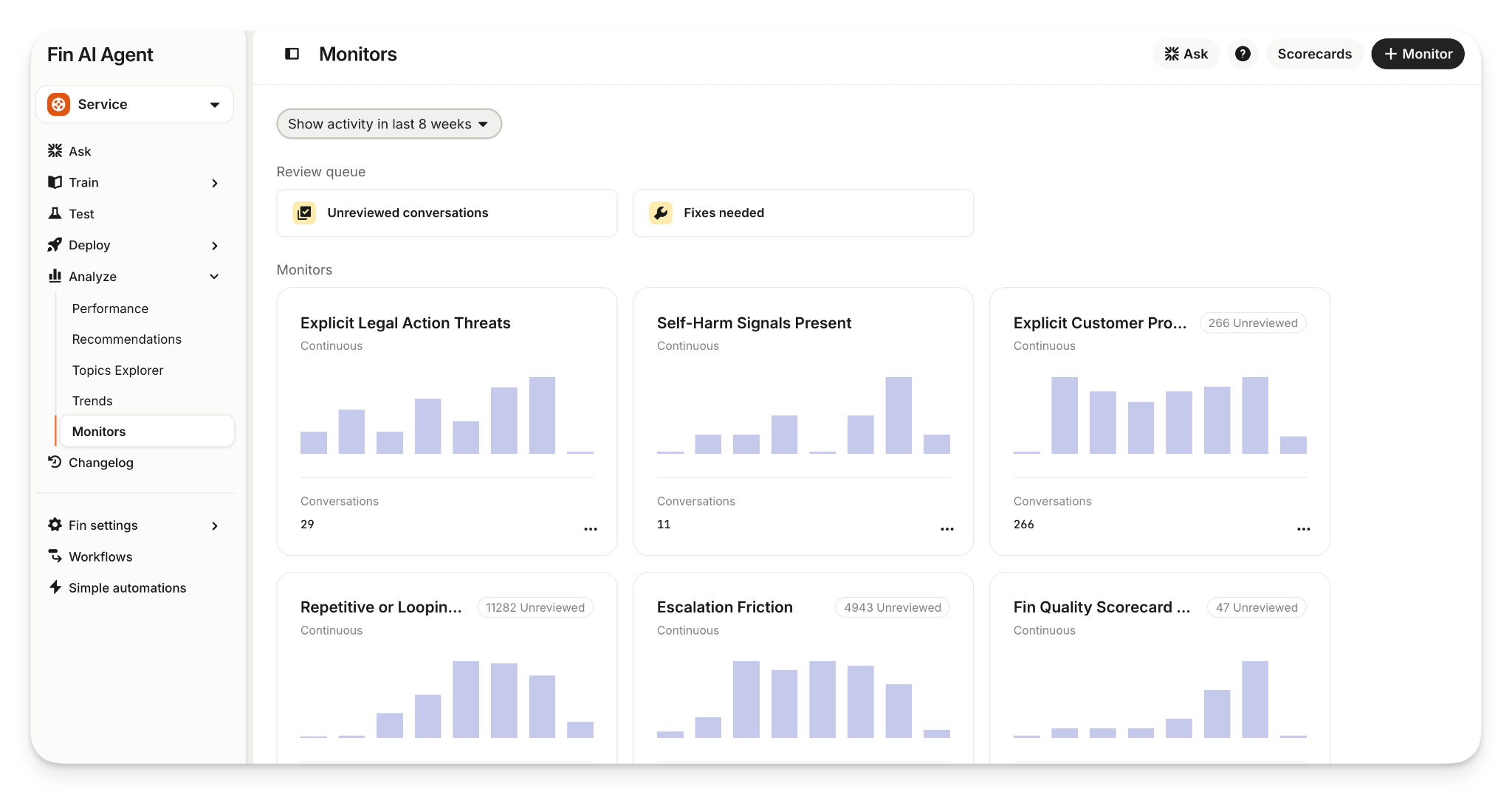
Monitors was created to fill in those gaps, designed to work alongside Fin Insights and and Fin Recommendations to provide what Adams called “a trifecta of the most powerful observability suite in the market.”
Monitors is a live system that provides always-on visibility in customer experience quality. What’s unique here is that Monitors evaluates conversation quality based on the specific bespoke standards and KPIs your business has set. In other words, Monitors doesn't evaluate CX based on generalized metrics: it lets you define exactly what makes a conversation a success or failure.
Even better?
It monitors those conversations across both Fin AI agents and human agents.
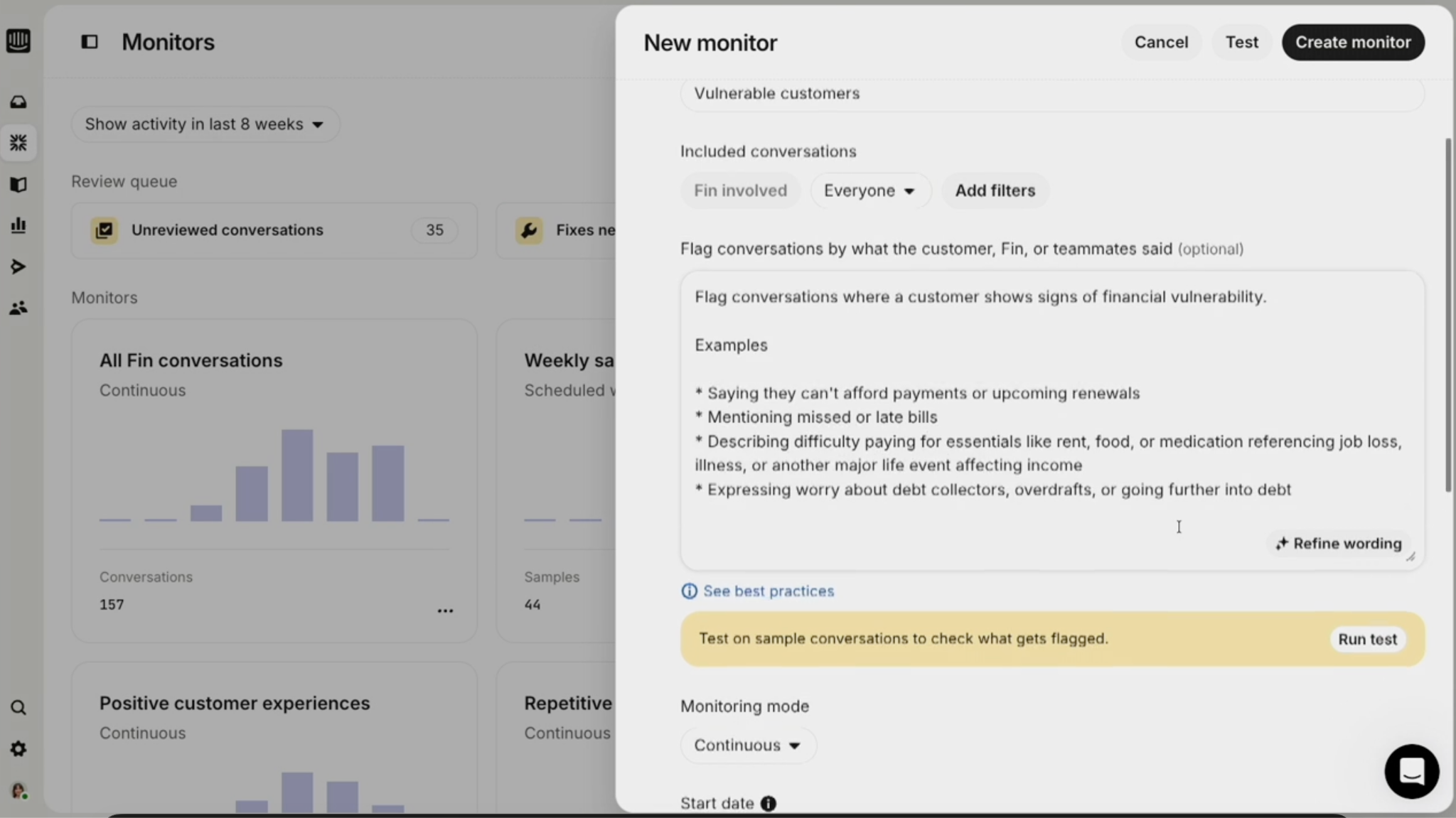
Users can direct Monitors to monitor all conversations, or use specific filters to monitor only narrow conversation types.
They can add natural language monitors to fill in the gaps left by deterministic filters, and can opt for continuous or date-range-specific monitoring. Users can create Monitors entirely from scratch, or choose from pre-built Monitor templates for common use cases (shown below).
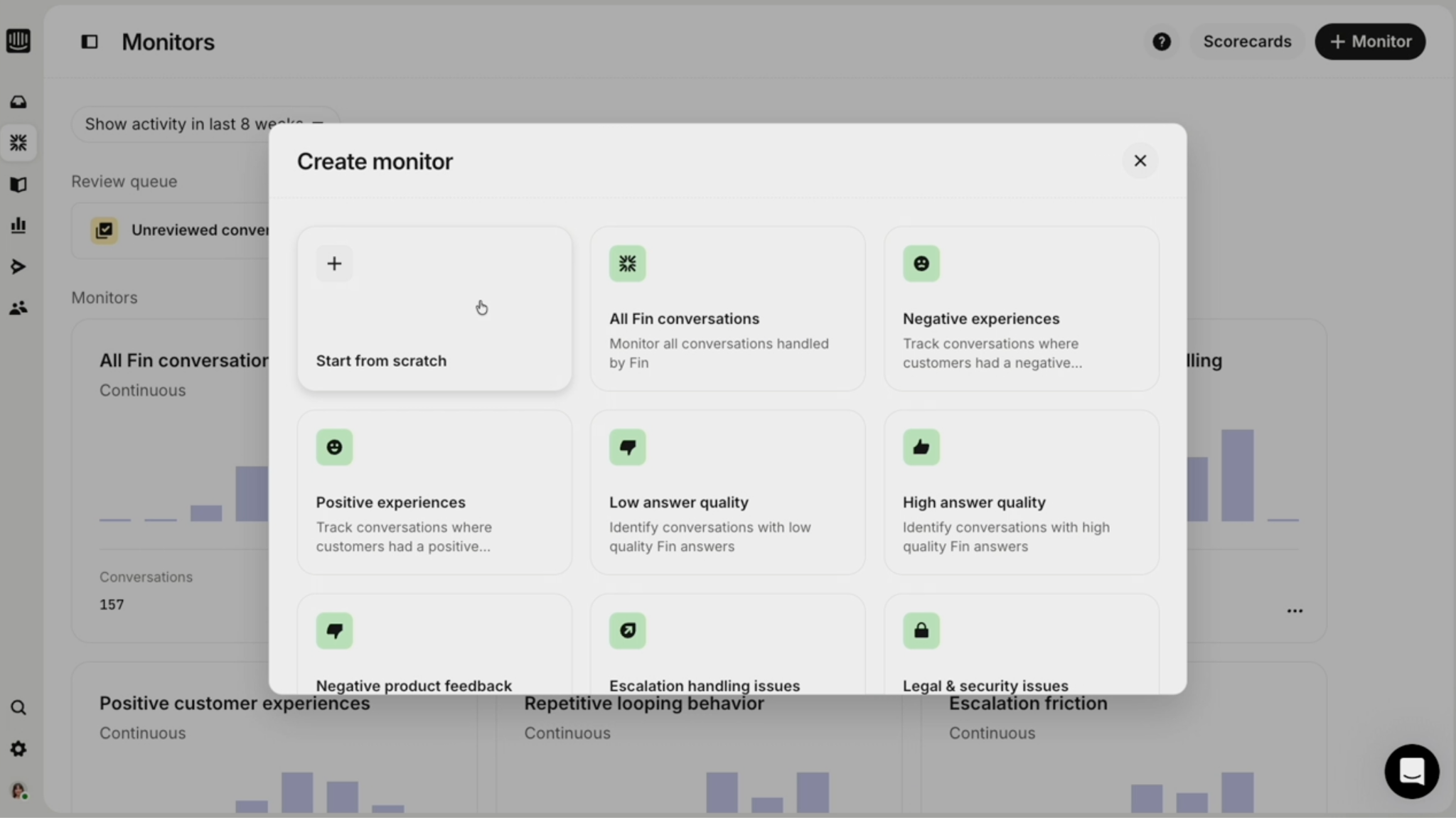
Monitors make it much easier to track high-risk or high-impact customer conversations, as well as conversations tied to specific metrics (new feature launches, product updates, etc.) Users can also filter conversations for Monitoring by, for example, channel, conversation topic, resolution state, language, country, region, customer segment, city, etc.
Custom Scorecards
Fin users can also create Custom Scorecards to clearly define how each Monitor is evaluated. Conversations and monitors can be scored manually, scored automatically with Fin AI, or scored using a combination of manual and automated evaluations.
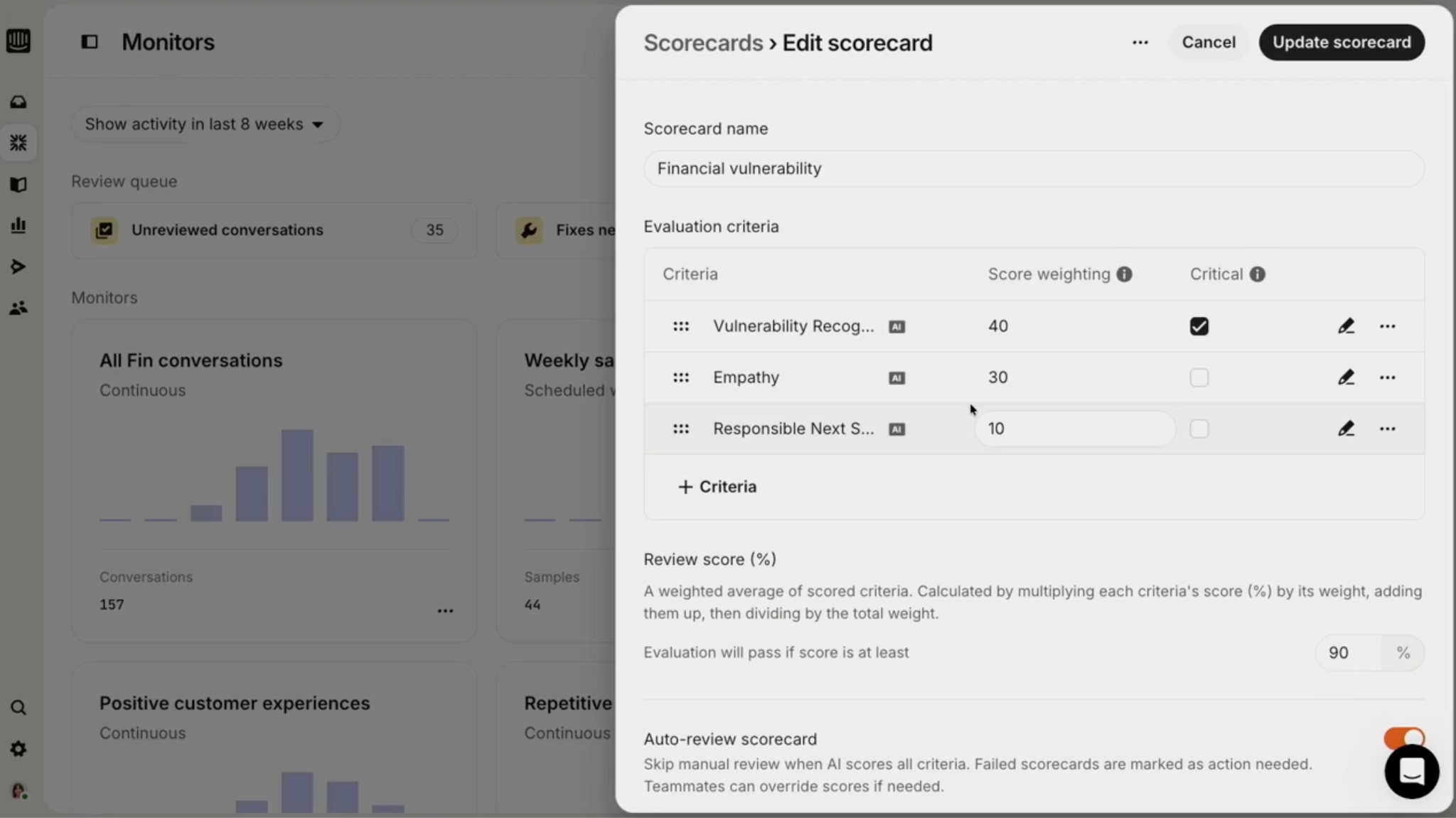
Users can add specific evaluation criteria to a scorecard, like clarification, efficiency, customer sentiment, or the escalation score. Each criteria can be weighted to reflect its importance, and users can even select a specific criteria that, if not met, results in an automatic failure.
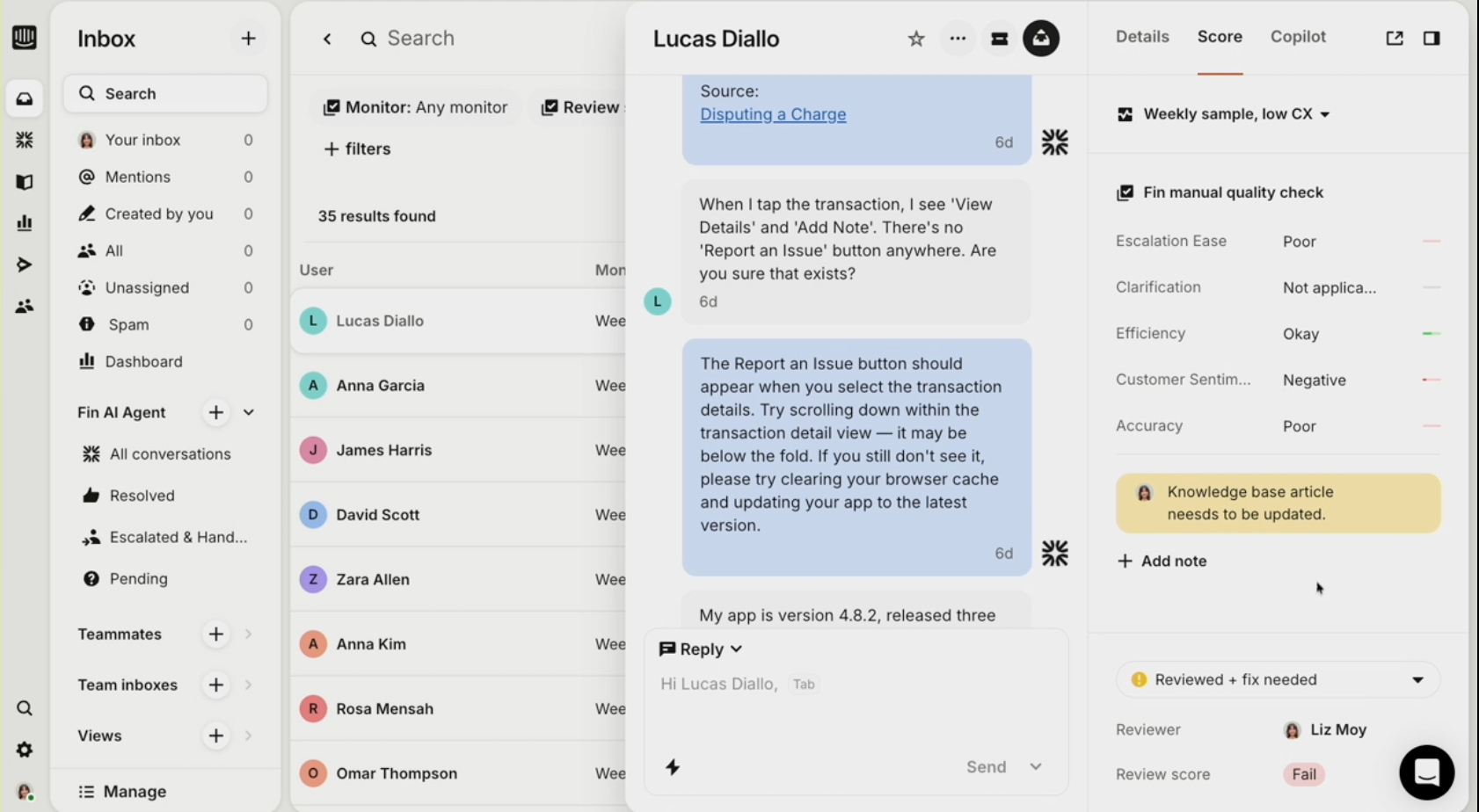
Once a Custom Scorecard is complete, it can be assigned to a specific Monitor. AI automatically evaluates customer conversations according to the specific scorecard, then provides insights directly in the dashboard.
Alerts
Users can also set up real-time alerts for when conversations fall below pre-set thresholds, fail to meet performance standards, or when risky behavior is detected.
The goal here is to prevent the issue from spiraling out of control.
Review Queues
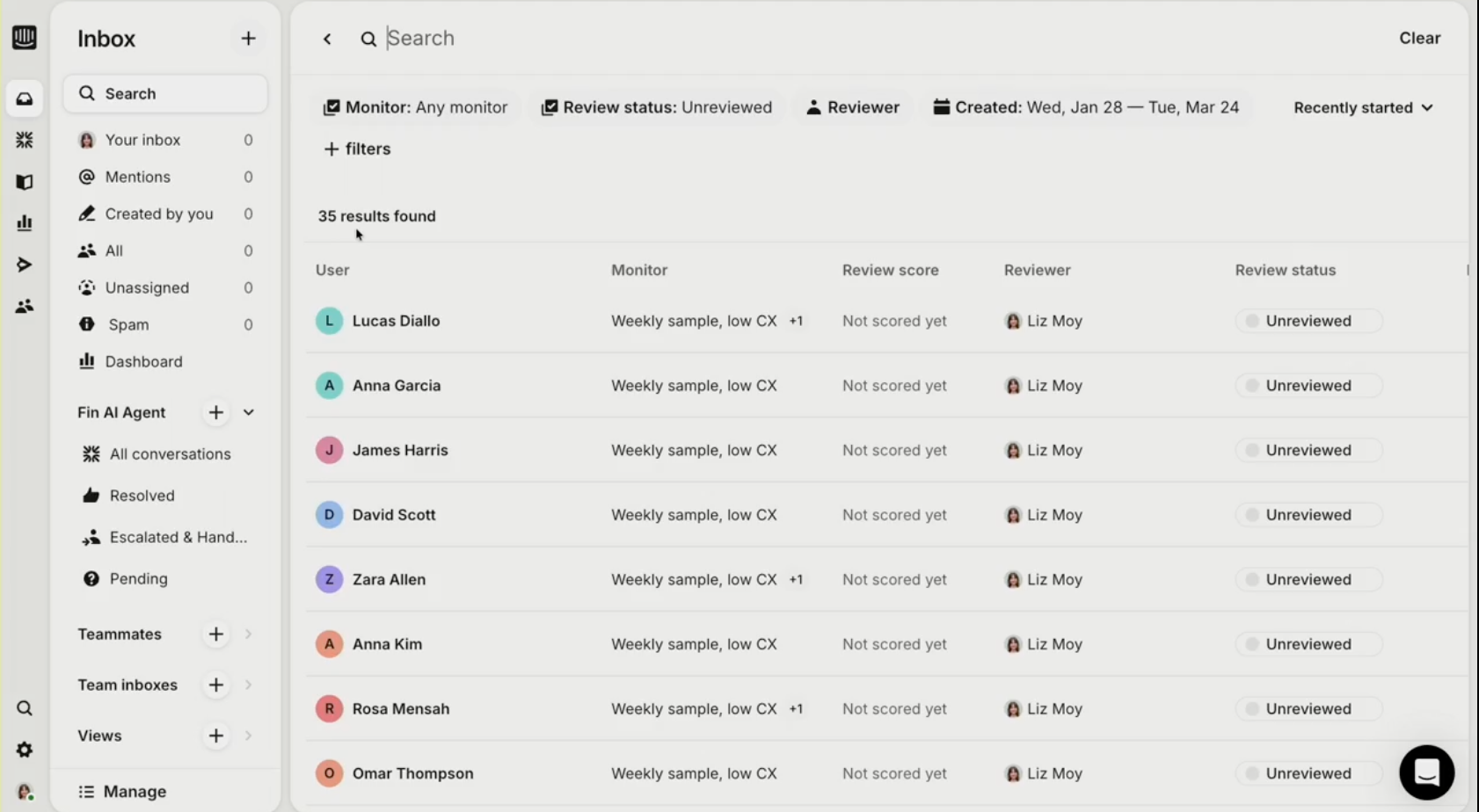
Review Queues allow agents to see all conversation reviews in one place. Each conversation in the Review Queue shows its assigned Monitor, review score, the reviewer, the review status, any included notes, and the required follow-up activity. This provides clear and efficiency next-best-action suggestions for your human agents.
We looked at dedicated QA tools, but what’s compelling about Monitors is that it lives where our conversations already happen. We don’t need another system - we can run QA across Fun and our human team in one place.
Reporting
Given that Fin Monitors is designed to work along Fin Insights, the reporting tool displays QA scores alongside CX scores.
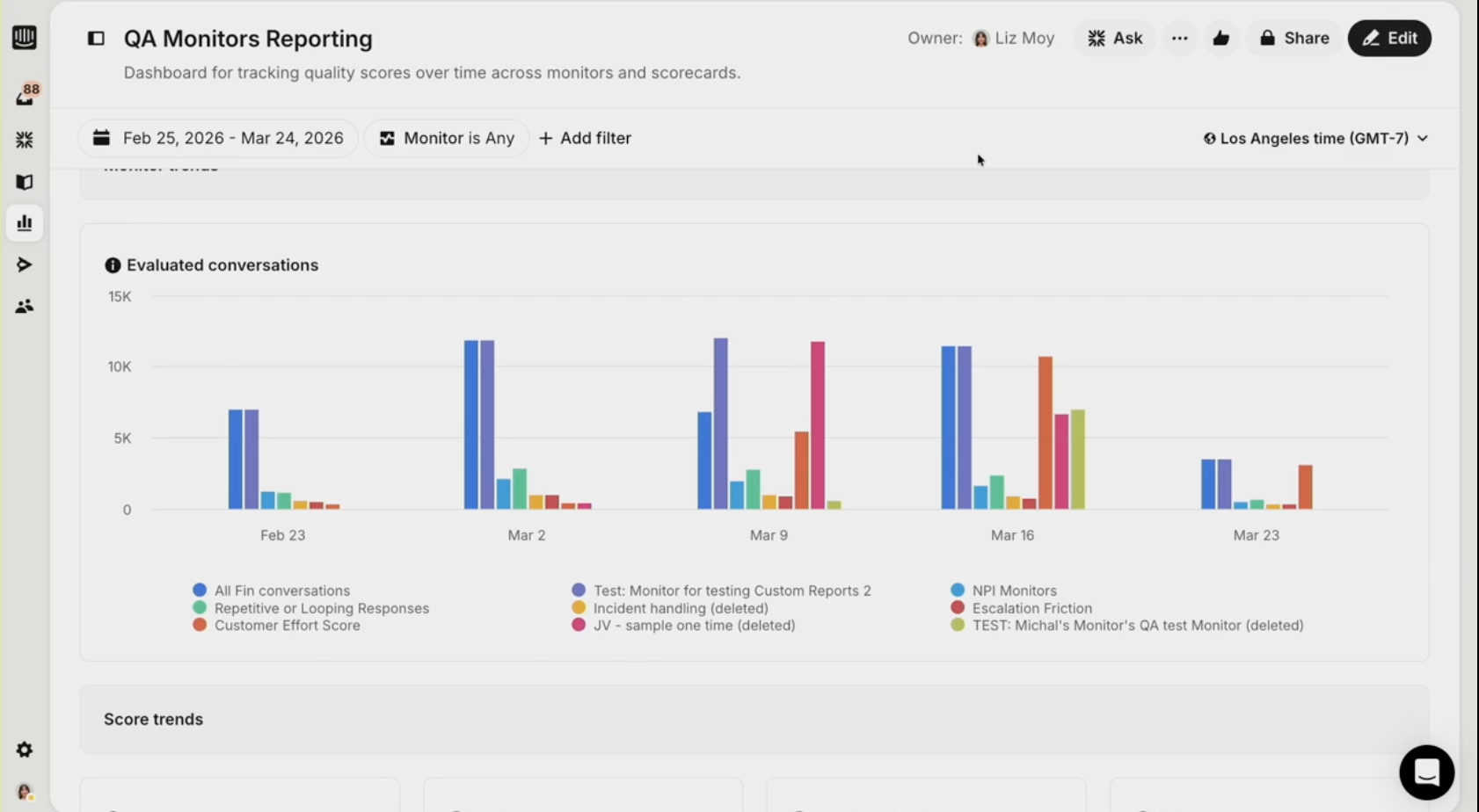
Users can also review more traditional KPIs, like first contact resolution rate, average response time, etc. within the reporting dashboard. Both human and AI agents metrics are shown in the reporting interface.
Upcoming Product Roadmaps
Fin also announced several upcoming capabilities, including Human QA, Alerts, and Knowledge Base Checks. Liz Moy, Senior Forward Deployed Engineer at Fin, took us through these future features. 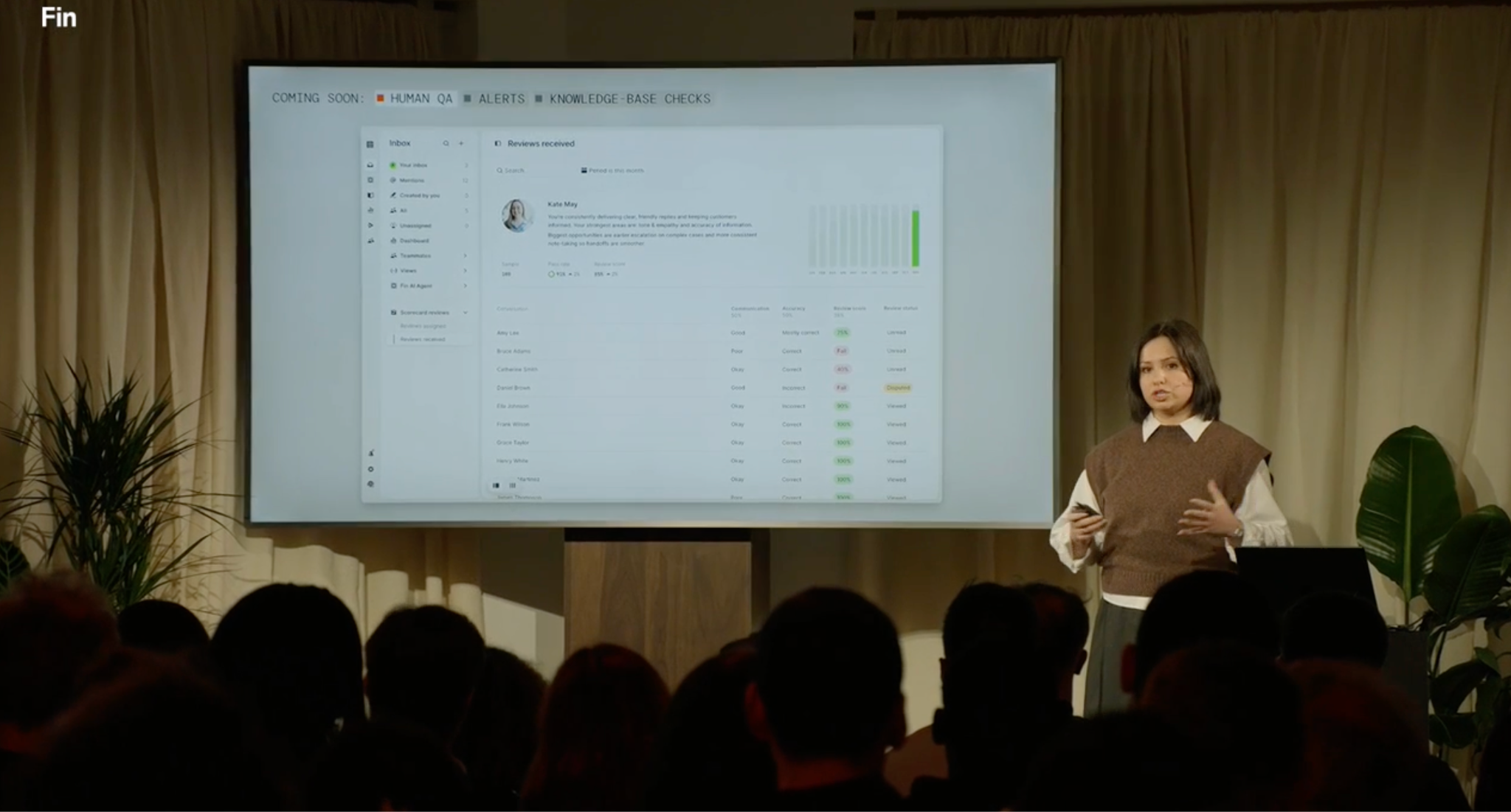
For now, Custom Scorecards can only be applied to AI Agents. Human QA will allow both human and AI to be scored via the same system – though users can also create separate scoring criteria for human and AI agents.
Alerts will, in the future, expand to allow human agents to automatically jump into high-risk conversations detected by the alert system.
Finally, Knowledge Base Checks will let users evaluate any Fin AI agent response against existing knowledge base content for an additional level of understanding.
What This Means For Enterprises
The Fin by Intercom product updates address a central anxiety surrounding AI agents: can enterprises truly trust that agentic AI agents are handling sensitive, complex customer conversations correctly, consistently, and in alignment with their specific CX standards?
The Fin Flywheel framework further emphasizes the importance of an emerging trend in the enterprise CX space: a continuous closed-loop system for agentic AI tools that mirror how mature engineering teams evaluate and manage AI systems.
Fin by Intercom's core differentiator is consolidation: QA, scoring, alerting, and reporting happen in the same system where conversations occur, across both AI and human agents.
Most vendors are super strong on deployment, but not quite as developed when it comes to post-deployment monitoring and analysis. Instead, users must rely on third-party QA platforms that require data piping, manual updates, and fragmented workflows. Monitors, and the Fin by Intercom observability suite as a whole, might just be the exception to this unwelcome rule.