March 4, 2026 • 8 min read
RingCentral AIR Review: We Tested It So You Don't Have To

CX Analyst & Thought Leader
March 4, 2026
RingCentral AI Receptionist (AIR) is a voice AI agent that automatically resolves routine support inquiries, books appointments, captures leads, and intelligently routes more complex calls to the right live agent. It is built directly into the RingCentral phone system and is also available as a standalone product called AIR Everywhere, for businesses on any telephony platform.
Before diving into features and pricing, we put AIR through a live test to see how it actually performs.
Live Review: Testing RingCentral AIR in Real Time
The first thing we did was call the public demo line at 1-844-587-9247 (1-8445-TRY-AIR). No preparation, no scripted questions. We wanted to see how AIR handles a real caller who pushes back, interrupts, and asks questions the AI might not have answers to.
The AI receptionist, Natalie, picked up immediately. We ran five tests.
Test 1: Purchasing without an existing account
We asked how to buy RingCentral AIR without a current RingCentral subscription. Natalie correctly identified that the next step was a handoff to the sales team. When we said we did not want to speak with a real person, she did not push back or repeat the transfer offer. She adapted and offered to text us a sign-up link instead. We said yes. The SMS came through with the link.
Test 2: Privacy handling
When Natalie began reading our phone number aloud to confirm the SMS send, we interrupted and asked her not to say it out loud. She stopped mid-sentence and adjusted without any issue.
Test 3: Interruption handling
We talked over her repeatedly to test how she handles crosstalk. There were a few moments of confusion, but she paused, recalibrated, and kept going. It was not seamless, but it was better than being stuck in a loop the way older IVR systems behave.
Test 4: Discount request
We asked whether she could offer a discount on the standalone AIR Everywhere plan. She checked and came back with a clear answer: no discount information was available. She did not fabricate an offer or deflect with a vague response.
Test 5: SMS capabilities
We asked whether AIR sends MMS messages or just standard SMS. She confirmed that AIR only sends standard SMS, not media files, but that it can send links via SMS. That matched the documented feature set.
On the whole, the demo was impressive. There were still a few hiccups, but the natural language handling, the willingness to pivot away from a live transfer when pushed, and the real-time SMS delivery all worked as described.
The results from actual deployments add more context. After integrating RingCentral AIR, Axis Integrated Mental Health projected $1.7 million in additional revenue. Owen Security decreased time spent on inbound calls by 50%. Integral Recruiting Services now has 93% of their calls handled entirely by AI.
Setup: Faster Than Expected
After the demo, we looked at what setup actually involves for a new user. Because AIR is embedded directly into the RingCentral phone system, there is no separate software to install, no API work, and no IT involvement required.
For existing RingCentral users, the process comes down to three things: adding your company website, uploading key knowledge base documents, and customizing the agent greeting. From there, AIR syncs automatically with your existing phone numbers, employee directory, and business hours. It is ready to handle calls from day one.
This is a meaningful difference from traditional IVRs and IVAs, which typically require professional services engagements, lengthy configuration, and ongoing maintenance.
Features We Explored
Voice and SMS
AIR handles inbound calls and outbound SMS in tandem. During our demo, the SMS delivery was near-instant and the link came through cleanly. One thing worth knowing going in: AIR only supports standard SMS. If your business needs to send images or media files via text, you will need a separate service for that.
Multi-Language Support
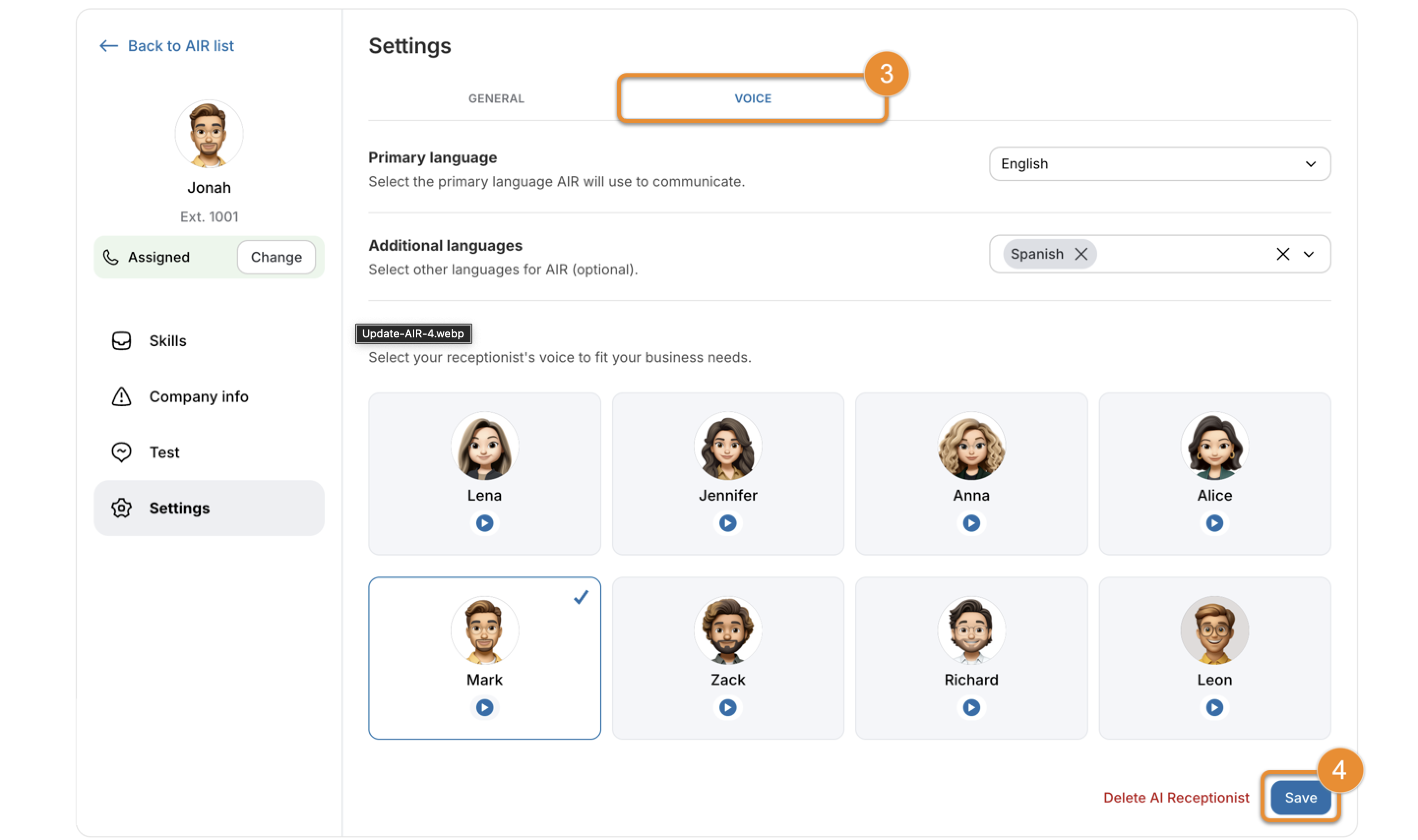
AIR supports five languages and dialects, including English, Spanish, European French, and Canadian French. It can switch languages mid-conversation. The demo line confirmed English handling. For businesses serving multilingual communities, the mid-call language switch is a feature worth testing with your specific use cases.
The Skills Library
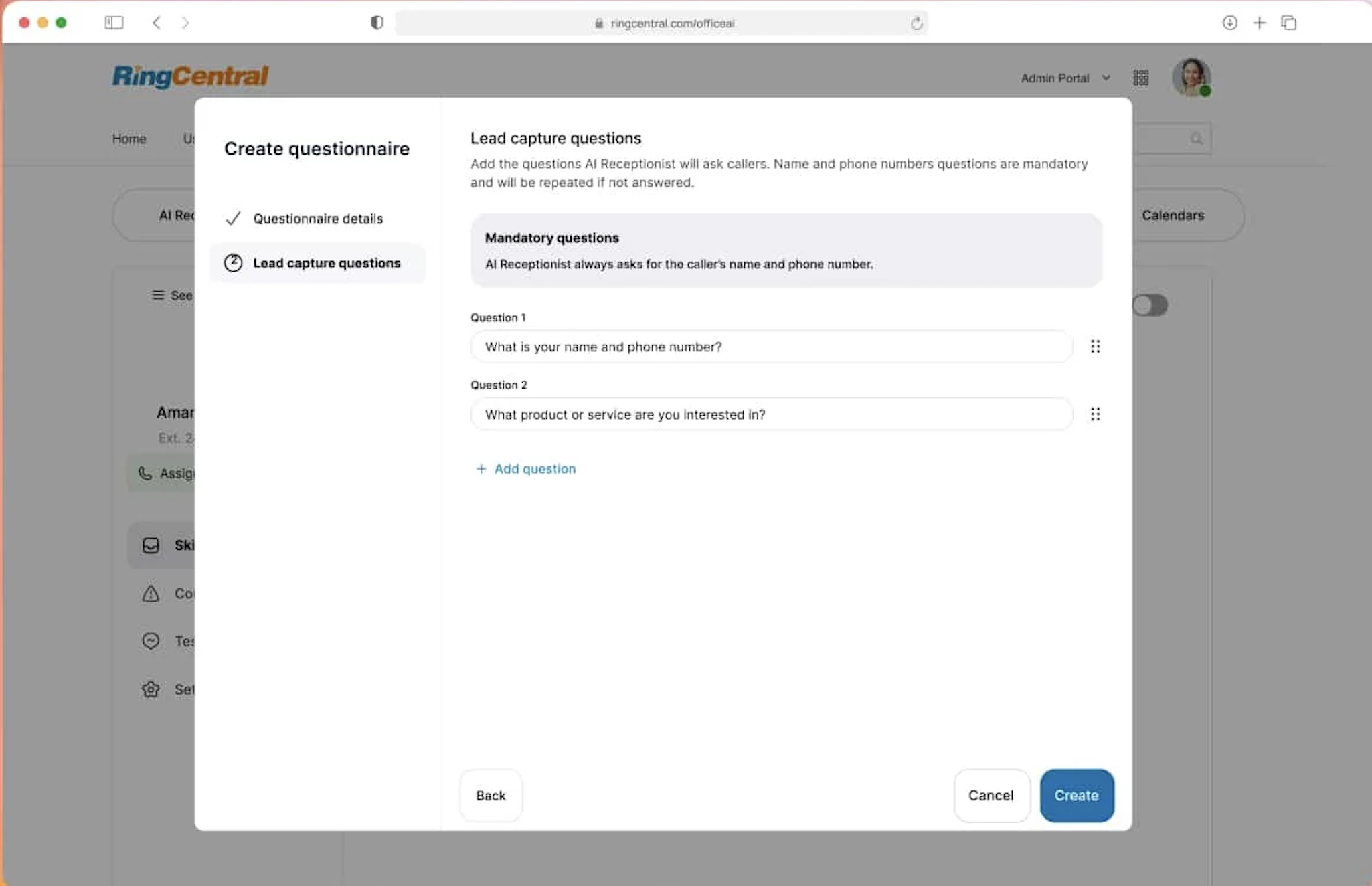
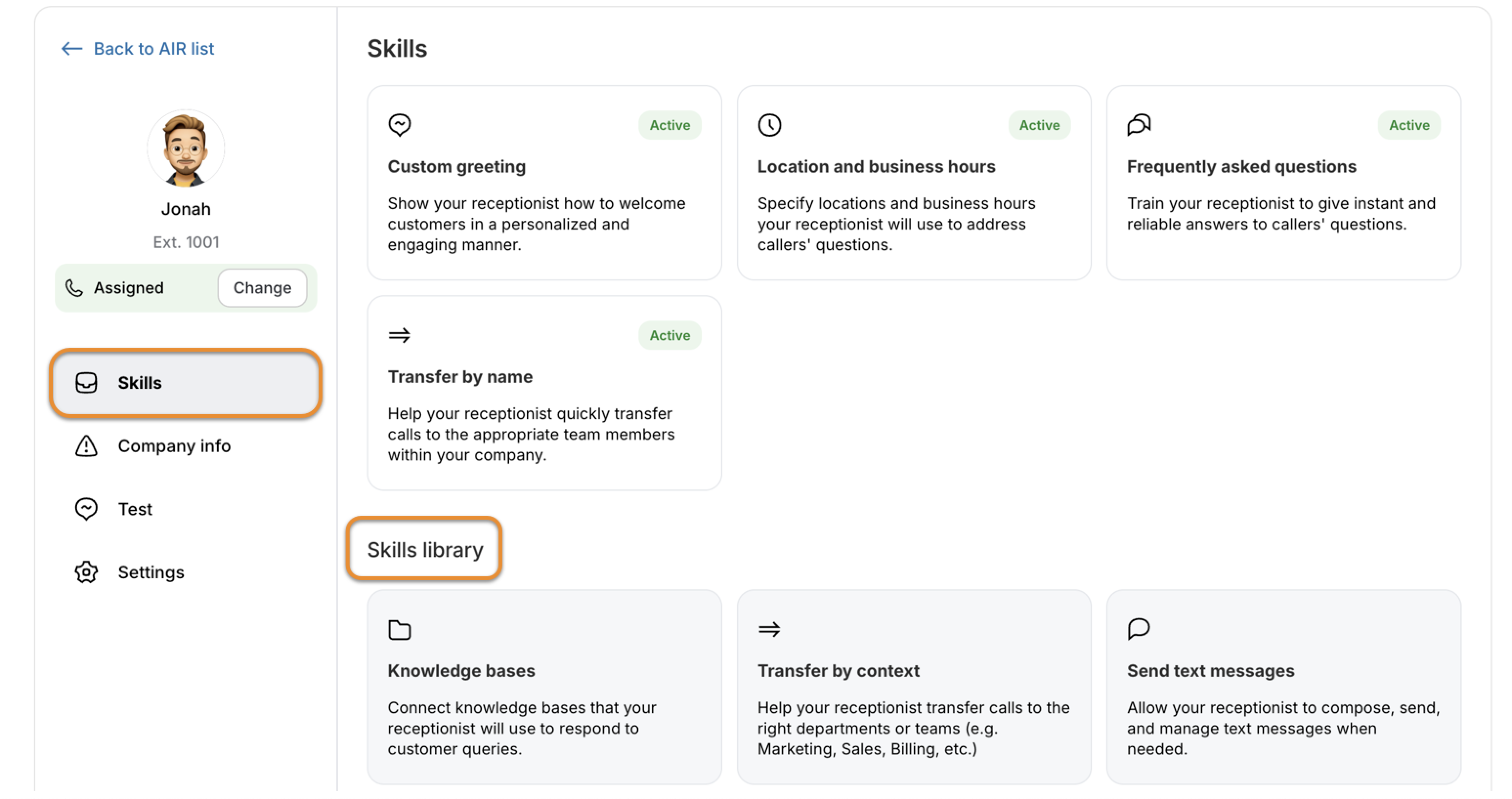
The Skills Library is where you build out what AIR can actually do beyond answering questions. It uses a no-code interface to create modular capabilities. During setup, we found the available skills covered the most common front-office workflows:
- Pulling answers from uploaded documents, your website, or FAQ databases
- Running custom lead capture questionnaires
- Booking appointments directly into Google Calendar or Microsoft Outlook
- Sending SMS confirmations, links, or follow-up information
- Routing billing inquiries appropriately
- Directing calls to specific offices based on caller location or need
Each skill can be created, tested, and refined without touching any code. Multi-calendar support for appointment booking is listed as coming soon, which is worth factoring in if your team runs on multiple calendars.
Transfer by Name
Rather than pushing callers through a phone menu, AIR lets them say who they want to speak with. "I need to talk to Sarah in billing" is enough. AIR pulls from your RingCentral employee directory and connects the call directly.
What makes this more useful in practice is what happens at the moment of transfer. The receiving agent gets a full summary of the conversation: what the caller asked, what information was already collected, any relevant CRM data, and recommended next steps. Callers do not have to repeat themselves, and agents are not starting from scratch.
Context-Aware Routing
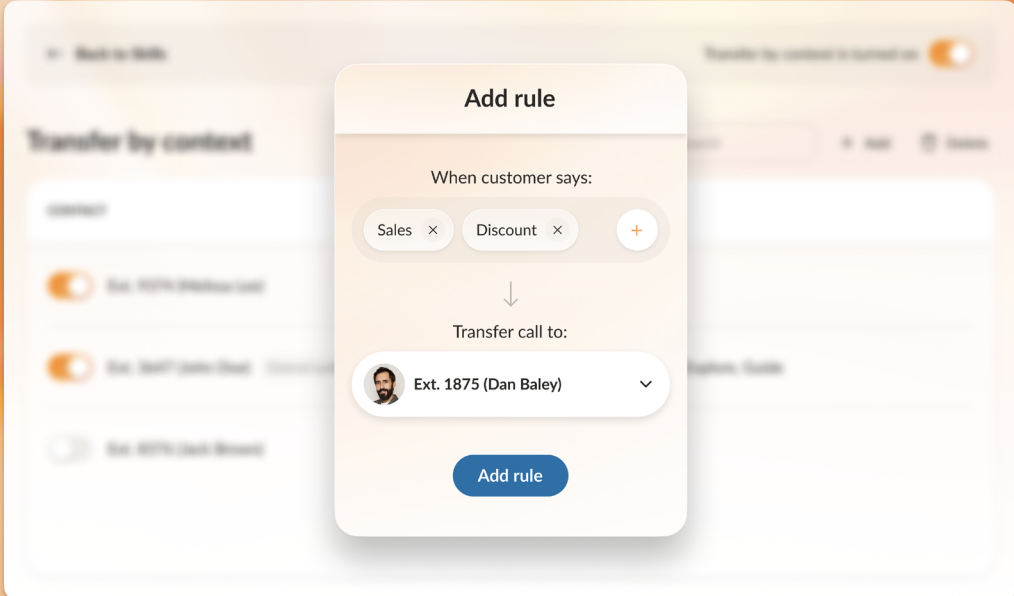
Beyond name-based transfers, AIR routes calls based on what the conversation reveals. It analyzes keywords, recognizes caller intent, and matches calls to agents based on skills, location, or priority. VIP customers or urgent situations can be routed differently from standard calls.
Lead Capture and CRM Integration
The lead capture setup lets you build intake questionnaires that qualify callers, collect contact information, and route leads to the right sales team members. With Salesforce integration enabled, this data flows directly into the CRM without manual entry, and follow-up workflows can be triggered automatically.
Appointment Booking
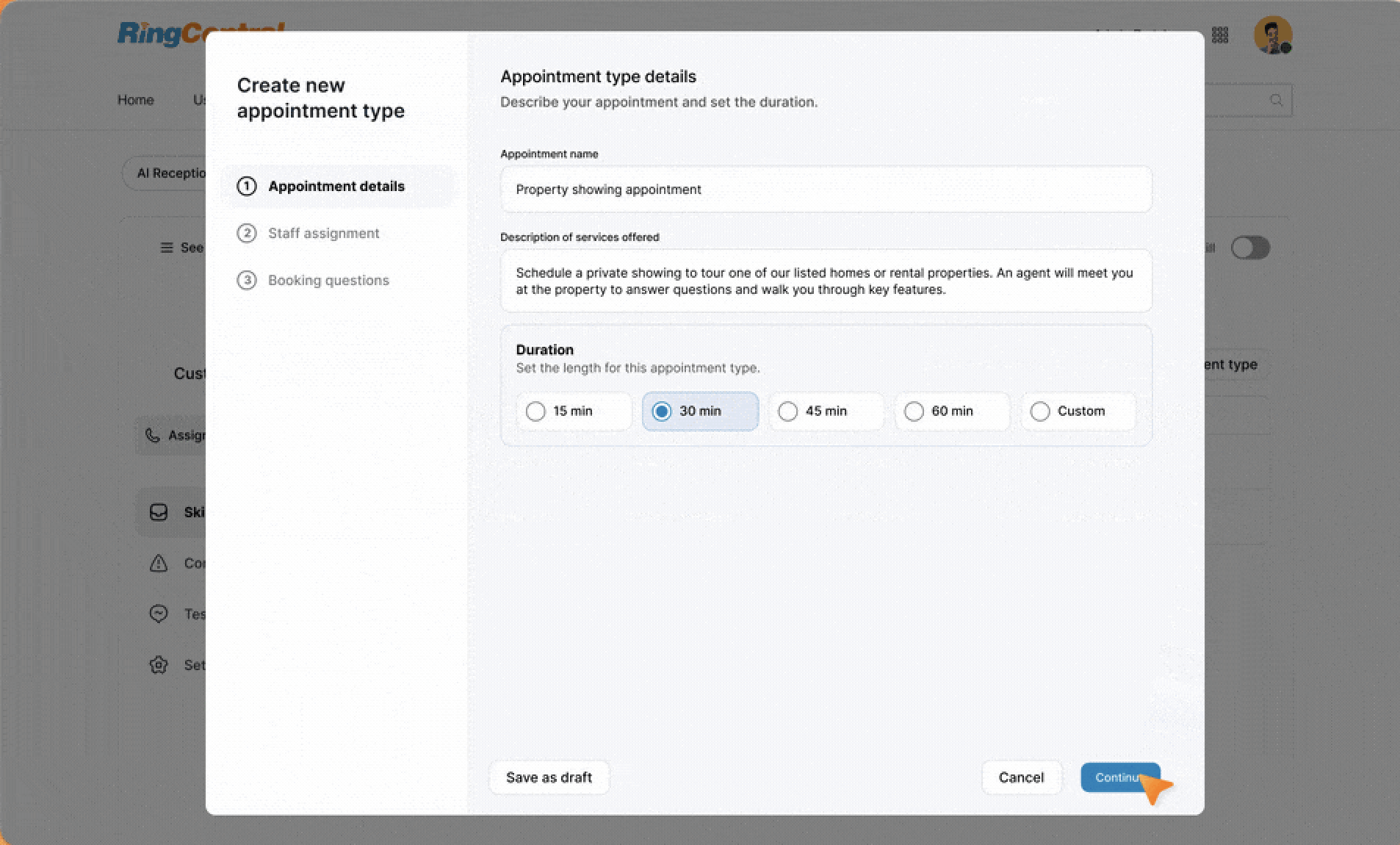
Scheduling integrates with Google Calendar and Microsoft Outlook. AIR sends automatic confirmation texts after booking, supports rescheduling, and can send reminder messages. As noted above, multi-calendar support is still in development.
The Analytics Dashboard
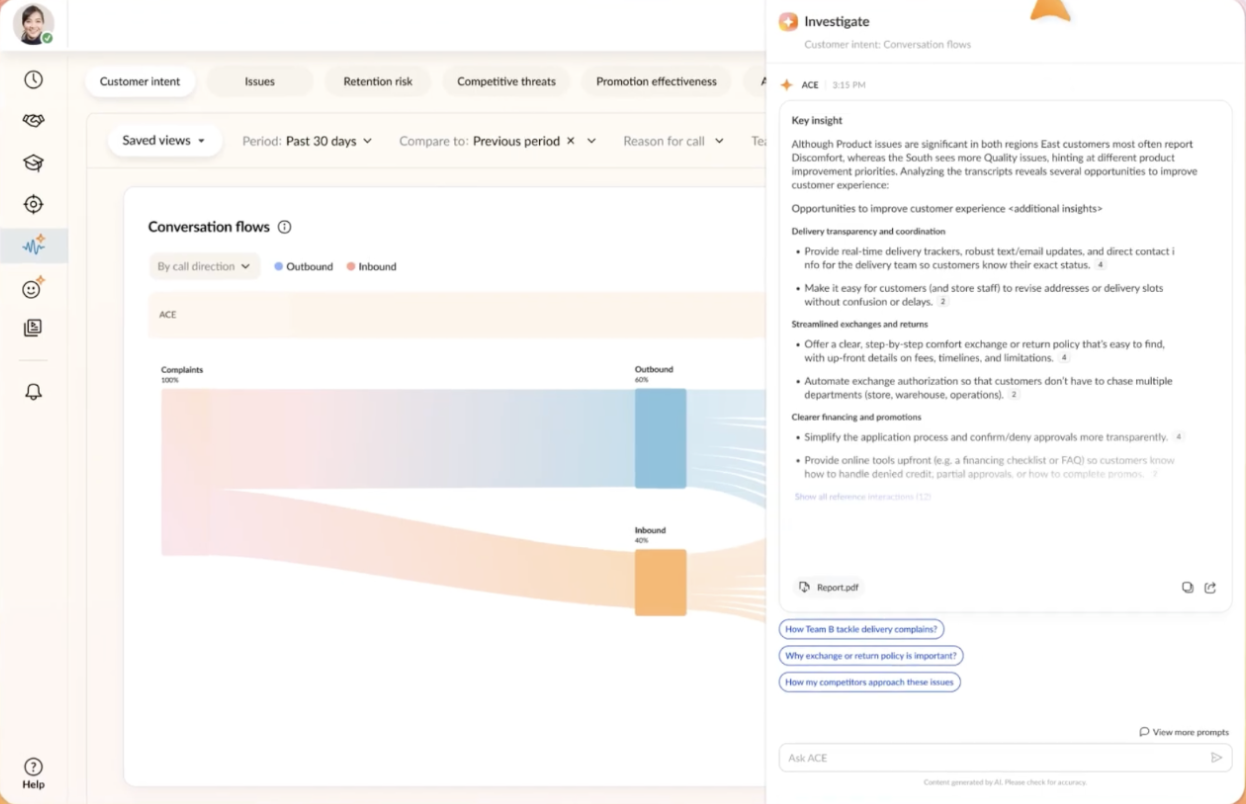
The Conversational Insights dashboard is where the value of running AI at scale becomes visible. Rather than just showing call volume, it surfaces why customers are calling.
After working through the interface, here is what it tracks:
- Total calls handled by AI vs. transferred to humans
- Resolution rate and reasons for escalation
- Top call drivers and most common questions
- Unresolved questions that led to transfers
- Customer sentiment across interactions
- Retention risks flagged in conversations
- Competitive mentions by callers
- Promotion effectiveness
The Investigate tab is particularly useful for improving AIR over time. It shows full transcripts with agent notes, surfaces knowledge gaps where AIR could not provide an answer, and lets you add responses to the knowledge base directly from unresolved questions. The improvement is immediate: the next caller with the same question gets an answer.
Every call is transcribed automatically, giving you searchable records and compliance documentation without any additional setup.
Enterprise Features
For larger deployments, AIR supports multiple locations with separate business hours, custom greetings, team directories, and routing rules per office. Analytics can be viewed consolidated or separately by location.
Multiple AI receptionists can be created for different departments, product lines, or use cases such as after-hours handling. Each requires a separate license.
For healthcare organizations, AIR includes HIPAA-compliant security controls, privacy protections for patient information, and full audit trails. The $1.7 million revenue projection from Axis Integrated Mental Health reflects how significant this compliance coverage can be for clinical environments.
Spam call filtering runs automatically, identifying robocalls and blocking known spam numbers before they reach staff.
RingCentral AIR Pricing and Plans
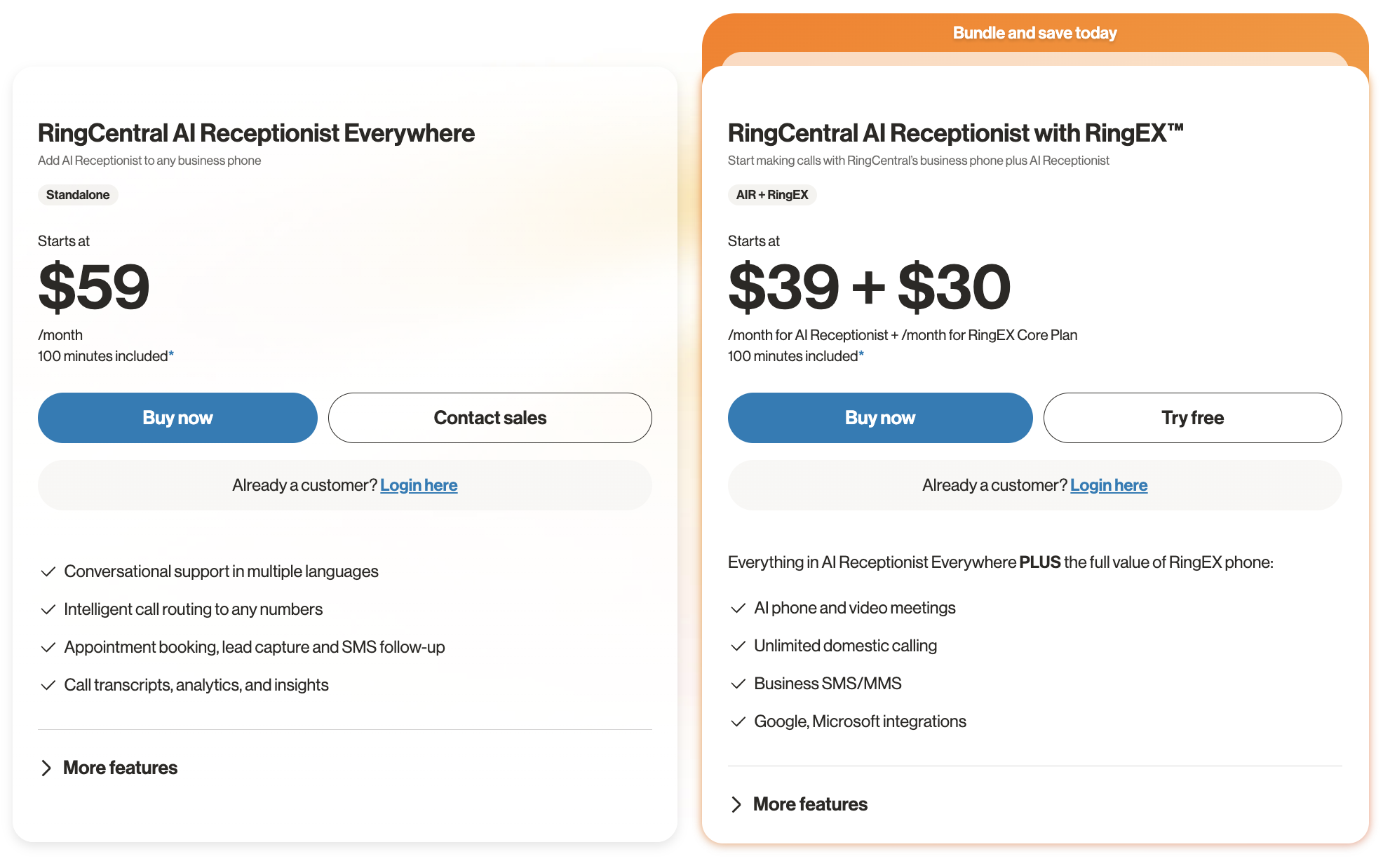
RingCentral AIR is available in two options, both including 100 minutes of AI per month.
AIR Everywhere (standalone): For businesses on any phone system, AIR Everywhere starts at $59/month with no RingCentral subscription required. It includes conversational support in multiple languages, intelligent call routing, appointment booking, lead capture, SMS follow-up, call transcripts, analytics, and insights.
AIR with RingEX (bundle): For businesses that also want RingCentral's full phone system, the bundle starts at $39/month for AI Receptionist plus $30/month for the RingEX Core Plan. On top of everything in AIR Everywhere, this adds AI phone and video meetings, unlimited domestic calling, business SMS/MMS, and Google and Microsoft integrations.
Additional 100-minute bundles can be purchased as call volume grows with no long-term commitments. Real-time usage tracking in the analytics dashboard keeps consumption visible.
Final Thoughts
The live demo held up across five tests, including scenarios designed to trip it up. Setup is straightforward for existing RingCentral users. The Skills Library, routing capabilities, and analytics layer cover the core front-office automation needs documented in this review.
The areas to watch are multi-calendar support, which is still in development, and licensing costs for organizations that need multiple specialized AI receptionists.
For businesses that want to evaluate it before committing, the demo line at 1-844-587-9247 gives you a live test with no signup required.